
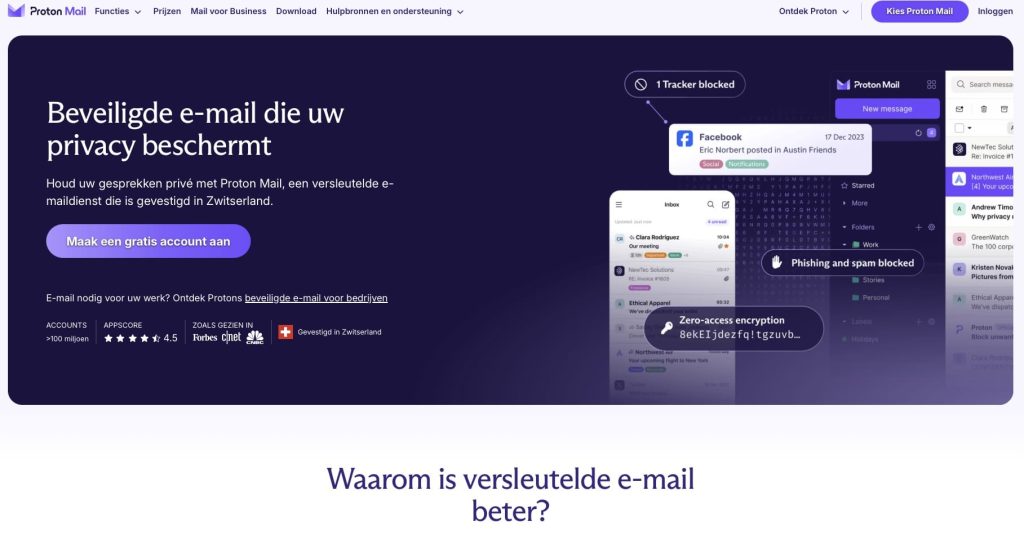
Your inbox is one of the most personal spaces on the internet — and yet most people hand it over to companies that scan every word for advertising purposes. ProtonMail takes a completely different approach: end-to-end encryption, Swiss privacy laws, and a zero-knowledge architecture that means not even Proton can read your messages. But is it actually good to use day-to-day? After spending time with it myself, here’s my honest take.
This review covers everything you need to know: how the interface holds up in real life, what each pricing plan actually gets you, how ProtonMail stacks up against Gmail, Outlook, and Tutanota, and where it falls short. Whether you’re thinking about switching or just curious, read on for the full picture.
What Is ProtonMail?
ProtonMail is an encrypted email service founded in 2013 by scientists from CERN and MIT. It’s based in Geneva, Switzerland — a deliberate choice, since Swiss privacy legislation is among the strongest in the world. Unlike Gmail or Outlook, ProtonMail encrypts your emails automatically, and because of its zero-access architecture, the company itself cannot read the contents of your inbox.
What started as a crowdfunded project has grown into one of the largest privacy-focused email platforms on the planet, now counting over 100 million accounts. And you can get started for free, without giving up a credit card. If you’re looking for more context on European email alternatives, check out this overview of European email providers that prioritize privacy.
A Clean, Familiar Interface — Surprisingly Easy to Switch
One of the biggest worries people have when leaving Gmail is the learning curve. With ProtonMail, that concern mostly disappears. The layout is intuitive right from the start: your inbox on the left, message content in the center, and clearly labeled action buttons throughout. There’s also a dark mode, which makes late-night email sessions noticeably more comfortable.
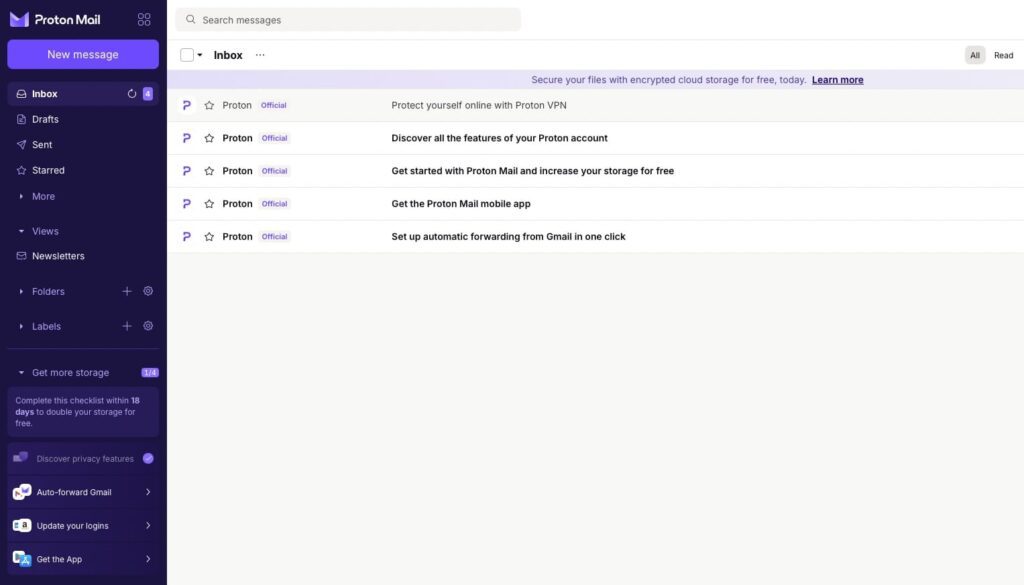
What genuinely surprised me was the speed. Despite all the encryption happening in the background, ProtonMail feels just as snappy as Gmail. Searching your inbox, opening attachments, composing messages — everything responds quickly and without friction.
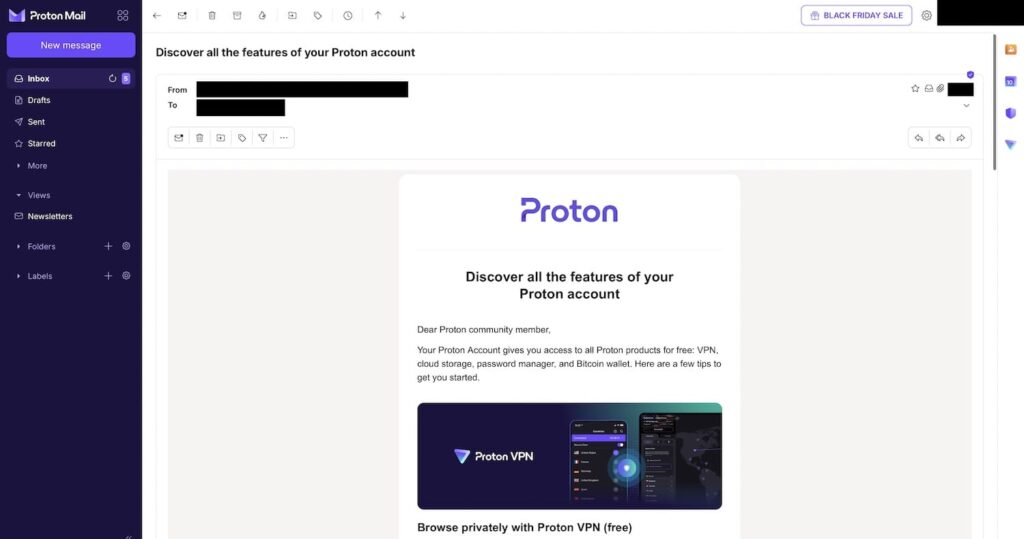
Opening and reading an email works exactly the way you’d expect — no different from Outlook or Hotmail. Replying is equally straightforward, with a familiar compose window that won’t feel foreign to anyone coming from a mainstream email client.
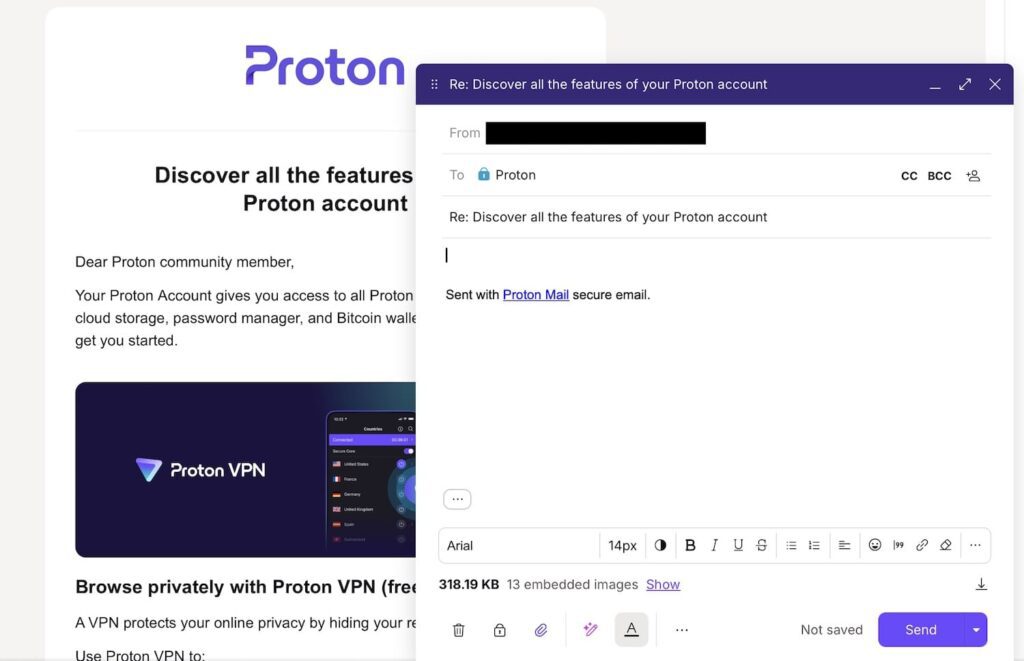
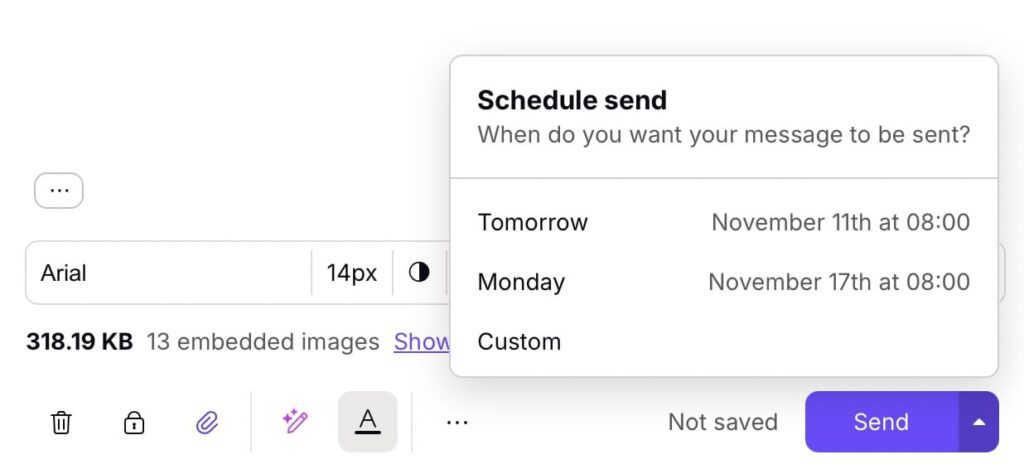
One handy touch: you can schedule emails to send at a later time, which is a feature some people don’t expect from a privacy-first service.
The mobile apps for both iOS and Android mirror the web experience well — clean, fast, and consistent. This isn’t always a given with smaller email providers, so it’s worth noting.
How the Security Actually Works
ProtonMail’s privacy features aren’t just marketing copy — there’s real substance behind them. Here’s what’s actually happening under the hood:
- End-to-end encryption: Messages between ProtonMail users are fully encrypted by default. Nobody intercepts or reads them — not even Proton’s own staff.
- Zero-access encryption: Your stored emails are encrypted on Proton’s servers in a way that requires your password to decrypt. There’s no back door.
- Password-protected emails to external recipients: Even when emailing someone on Gmail or Outlook, you can send a password-protected link so the content stays private.
- No ad tracking: ProtonMail doesn’t scan your messages or insert tracking pixels. Your email habits are not a data product.
- Open source codebase: The code is publicly available and regularly audited by independent security researchers.
In day-to-day use, you don’t really notice any of this — it all runs automatically in the background. The only moment it requires a bit of extra effort is when sending encrypted messages to non-Proton users, where you’ll need to set a password. It becomes second nature quickly.
Plans and Pricing: Which One Makes Sense for You?
Free Plan — A Solid Starting Point
- 1 email address
- 1 GB of storage
- Up to 150 messages per day
- 3 folders and labels
The free tier is more useful than you might expect. Storage is tight at 1 GB, but for keeping important emails and testing whether ProtonMail suits your workflow, it’s perfectly adequate. No credit card required, no strings attached.
Mail Plus — The Sweet Spot (€4–5/month)
- 10 email addresses
- 15 GB of storage
- Unlimited messages
- Unlimited folders and labels
- Custom domain support
- Auto-reply and filters
This is the plan I use personally. The 15 GB of storage handles everyday email with ease, and having multiple addresses is genuinely useful — one for personal use, one for work, one for online shopping, and so on. The custom domain feature also makes this a solid option for freelancers who want a professional-looking email address. You can read more about how Proton holds up for professional use in this Proton for Business review.
Proton Unlimited — The Full Ecosystem (€10–12/month)
- 15 email addresses
- 500 GB of shared storage
- Proton VPN Plus included
- Proton Drive included
- Proton Calendar included
- Proton Pass Plus included
For anyone who wants to go all-in on privacy, Proton Unlimited is exceptional value. For roughly the cost of a Netflix subscription, you get a complete privacy suite: email, cloud storage, a calendar, a password manager, and a full VPN. The VPN alone is worth around €5 per month, so the bundled price is genuinely hard to argue with. If you’re also looking for a standalone password manager, here’s a look at the best European password managers for context.
ProtonMail vs. the Competition
vs. Gmail and Outlook
There’s no denying that Gmail and Outlook win on raw features, integrations, and sheer ecosystem size. But they also scan your email content to serve targeted ads and share data with third-party advertisers. ProtonMail trades some of that convenience for genuine privacy. If you care about where your data goes, it’s not much of a sacrifice. For a broader look at your options, see this guide to European alternatives to Gmail.
vs. Tutanota
Tutanota is ProtonMail’s closest rival in the encrypted email space, and it is slightly cheaper. However, ProtonMail has a more polished interface, better mobile apps, and a significantly larger ecosystem. The fact that Proton now offers Drive, Docs, Sheets, Pass, and an upcoming Meet product makes it a much more complete privacy platform overall.
The Downsides — Let’s Be Honest
No service is without its weaknesses, and ProtonMail is no exception:
- No IMAP/POP on free accounts: If you want to use ProtonMail inside Outlook or Apple Mail, you’ll need the Bridge app — and that’s only available on paid plans.
- Limited search functionality: Because of encryption, ProtonMail can only search subject lines and metadata, not the body of your emails. This is a real limitation if you frequently dig through old messages.
- Fewer integrations: The third-party tool ecosystem is much smaller than Gmail’s. If you rely heavily on Google Workspace or Microsoft 365 integrations, you’ll feel the gap.
- Family use gets expensive: Each person needs their own account, and the costs add up quickly for households with multiple users.
Who Should Use ProtonMail?
ProtonMail is a great fit if you are:
- Privacy-conscious and don’t want Big Tech profiting from your personal communications
- A journalist, activist, whistleblower, or anyone who needs genuinely secure channels
- A professional handling sensitive information — lawyers, doctors, consultants, and similar roles
- Tired of personalized ads following you based on your email content
- A freelancer or small business owner who wants a custom domain and a professional setup
ProtonMail is probably not the right choice if you:
- Depend heavily on Google Workspace or Microsoft 365 and their deep integrations
- Regularly need to search inside the body of old emails as part of your workflow
- Have a large family and need multiple accounts on a tight budget
For a wider perspective on replacing Google tools with European alternatives, this guide to European alternatives to Google is worth a read.
Tips If You’re Just Getting Started
- Start with the free plan: There’s no reason to commit financially before you know whether ProtonMail fits your habits.
- Use the import tool: ProtonMail offers a built-in importer to bring your existing Gmail or Outlook emails across — it works well.
- Enable two-factor authentication: Set up 2FA from day one. It takes two minutes and meaningfully improves your account security.
- Download the mobile apps: They’re genuinely excellent and make the experience consistent across all your devices.
- Learn the keyboard shortcuts: ProtonMail has a solid set of shortcuts that speed up common tasks considerably once you get used to them.
Final Verdict
After using ProtonMail regularly, my conclusion is straightforward: it does exactly what it promises. Email that’s private, secure, and pleasant to use — without any meaningful learning curve. The interface is clean, the apps are reliable, and there’s a genuine sense of calm that comes from knowing your inbox isn’t being harvested for data.
Is it flawless? No. Will you occasionally miss a Gmail feature? Yes. But the peace of mind it offers more than compensates for those trade-offs. In an era where digital privacy is increasingly hard to hold onto, ProtonMail stands out as a real and practical solution.
My recommendation: sign up for a free account and try it for a few weeks. There’s a good chance you won’t want to go back. Get started with ProtonMail for free →
Frequently Asked Questions
Is ProtonMail actually free?
Yes. The free plan costs nothing and has no hidden fees. You get 1 GB of storage and can send up to 150 messages per day, which is sufficient for many personal use cases.
Can ProtonMail read my emails?
No. Zero-access encryption means that even Proton’s own engineers cannot access the contents of your inbox. Only you can decrypt your messages with your password. Proton does everything possible to encrypt messages immediately upon receipt. Compare that to Gmail or Outlook, where the companies can — and do — read your emails.
Do I have to give up my existing email address?
You’ll receive a new @proton.me address when you sign up. On a paid plan, you can connect your own custom domain or set up forwarding from your old address so you don’t miss anything during the transition.
Is ProtonMail noticeably slower than Gmail?
In practice, no. The encryption process runs in the background and has no perceptible impact on speed. Day-to-day, it feels just as fast as any mainstream email service.